
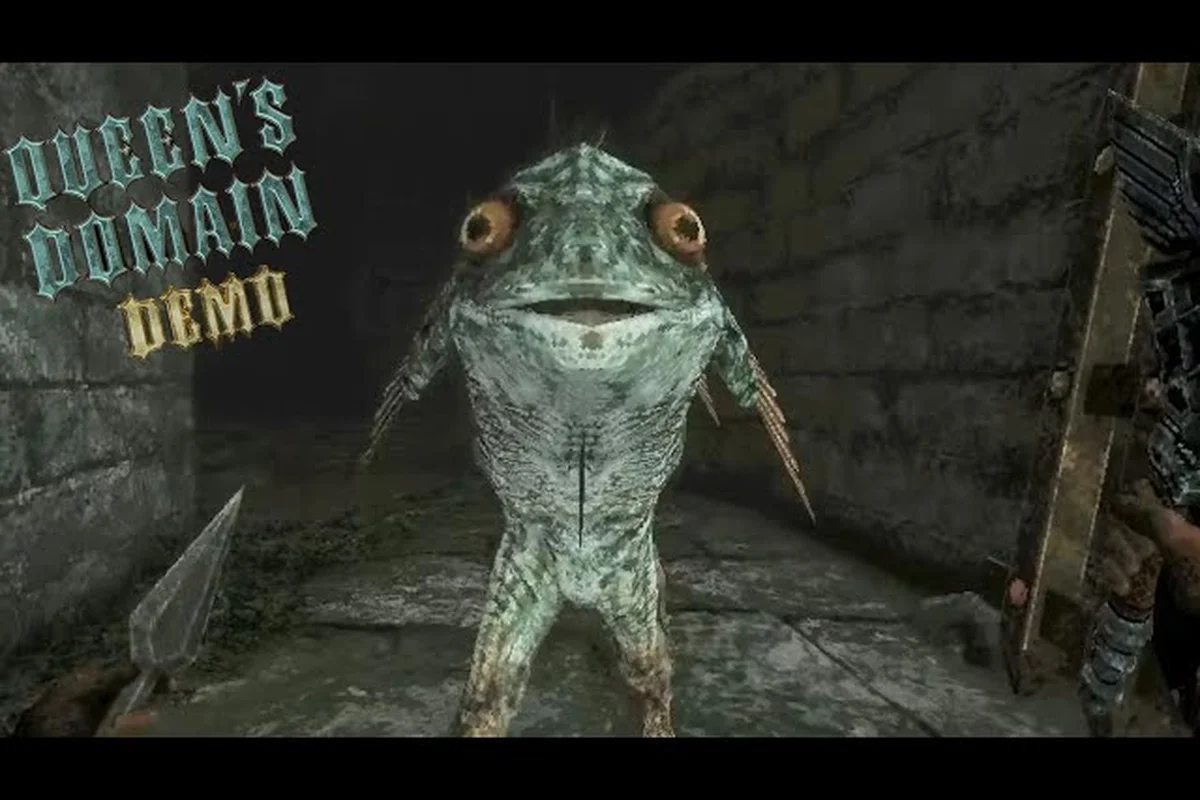
Queen's Domain demo 1.0.2 matters because it sits in the short chain of hotfixes that led to the October 30 launch. Here is the verified timeline, what each patch fixed, and how to confirm the major blockers are gone in your own save.
Queen's Domain Demo 1.0.1: Early Stability Improvements
The first numbered demo hotfix established a pattern that becomes important when reading later notes: 1.0.1 addressed presentation and usability issues, while 1.0.2 refined combat, and 1.0.3 adjusted resource behavior. The official developer announcements on Queen's Domain's Steam news page confirm that all three demo hotfixes existed, although their individual note lengths are limited.
The most useful way to understand 1.0.1 is as an early cleanup pass rather than a balance overhaul. The bestiary is an in-game encyclopedia whose entries can be scrolled with a controller, while food can raise player stats and a life charm raises life points. Those systems were already part of the demo structure, but the early hotfix improved how information and progression could be accessed.
What the Early Demo Cleanup Addressed
The 1.0.1 note is best understood through the areas it touched rather than through unsupported numbers. No public note tied the hotfix to a new region, enemy, weapon, level cap, or difficulty setting. The developer's baseline lists the Pit of Despair as the only named location besides the Isle of Neasied, so claims about additional fixed areas should be treated cautiously.
| Documented 1.0.1 topic | Practical purpose | What players should verify |
|---|---|---|
| Bestiary scrolling | Makes encyclopedia entries easier to inspect with a controller | Open the bestiary and scroll an entry with the controller |
| Life charm information | Clarifies an accessory that raises life points | Compare the charm with the displayed life-point value |
| Food and stat interface | Supports the demo's food-based stat progression | Confirm stat changes after using an eligible food item |
| Controller usability | Improves navigation in game menus | Rebind or reconnect a controller and test menu input |
| General demo stability | Reduces friction before later combat hotfixes | Test frequent saves, menus, combat, and traversal |
Because the developer did not publish exhaustive item lists or numerical values, verification should happen inside the build. For example, a player can note the life-point number before equipping a life charm, repeat the test after equipping it, and note whether the change appears immediately. That creates a clear personal baseline without pretending the developer published a formula.
Walking the Demo Hotfix Chain in Order
Start by opening the bestiary with the intended input method. Move through an entry slowly and verify that scrolling does not stall, skip unexpectedly, or prevent returning to the previous screen. Next, examine the life charm and life points together. The charm should raise life points, but the public notes do not specify stacking behavior, so record the result instead of generalizing it.
Then test an eligible food item and watch the relevant stat display. The official baseline confirms that food raises stats, although it does not publish the food list, stat effects, or duration. Finally, reconnect a controller and test the same menus. This sequence identifies whether a problem is version-specific, input-specific, or connected to a particular menu.
If the result differs after later updates, preserve the old notes. A change between builds is not necessarily a bug: bestiary presentation, stat growth, and controller support are three separate systems, and a single pass-through cannot prove that each one remains stable.
Queen's Domain Demo 1.0.2: Charge Attack Adjustments
Queen's Domain demo 1.0.2 focused on combat behavior, making it the most relevant stop for players comparing early and later demo builds. The confirmed combat model centers on a stamina meter, charge attacks, and weapon-specific special attacks. It is also associated with secondary throwing weapons, although the public material does not document a complete per-weapon stat table.
This matters because combat changes can alter how safely a player uses the Legendary Holy Sword Endu, one of more than 50 findable melee weapons. However, the sword's flight function and a weapon's combat behavior should not be treated as the same system. The developer does not document the Endu as a weapon capable of charge attacks, so using it as an example of a specific move set would go beyond the available facts.
The Confirmed Combat Loop
The combat loop can be separated into verified components. Stamina governs combat decisions, charge attacks are part of the supported move set, and each melee weapon has its own special attack. The official reveal also uses the broader phrase “special / magic attacks,” but that wording does not establish separate mana spending for every attack.
| Combat element | Confirmed status | Reasonable in-game check | Unknown as of 2026-10-31 |
|---|---|---|---|
| Stamina meter | Confirmed | Observe the meter before and after repeated attacks | Regeneration rate and exact costs |
| Charge attacks | Confirmed | Charge, release, and record the animation and meter effect | Minimum charge time and damage scaling |
| Weapon special attacks | Confirmed | Equip two melee weapons and compare their specials | Exact damage and stamina costs |
| Secondary throwing weapons | More than 20 types confirmed | Test one secondary weapon and inspect its control behavior | Complete list and drop rates |
| Melee weapon variety | More than 50 confirmed | Compare upgrade states on two found weapons | Weapon names and upgrade multipliers |
| Parrying | Media-reported, not developer-documented | Observe whether the current build offers it | Whether it is a supported mechanic |
The safest takeaway from demo 1.0.2 is that players should judge attack behavior by observing the meter and animation, not by assuming every weapon consumes resources in the same way. Different weapons can have different special attacks, and charge attacks add another layer to timing. A short field log is more reliable than an invented universal rule.
Testing 1.0.2 Without Invented Numbers
Begin with a basic melee swing against a noncritical target. Note the meter before the swing and its state after. Repeat the test several times without changing weapons so that recovery timing becomes clearer. Next, perform a charged attack and compare the resulting animation, meter behavior, and target response. The goal is not to derive an unpublished damage multiplier; it is to confirm that the intended attack category works reliably.
Then swap to another melee weapon and test its special attack. The published combat model guarantees weapon-specific specials, so the test should reveal whether each weapon has a distinct action. Avoid using a named enemy or location that the developer has not documented. The Mimic and Star Lizard are official creature names, so either can serve as a controlled combat test when encountered, although neither has published health or damage data.
Secondary weapons deserve a separate check because they occupy a distinct equipment category. Confirm that throwing input works, that the projectile behaves as expected, and that switching between the equipped melee weapon and secondary weapon does not interrupt the stamina meter. If any action freezes or fails, record the exact weapon state and reproduction steps before reporting the issue.
This method also helps distinguish a balance change from a technical defect. If a charge attack consumes stamina differently, that may be an intentional adjustment. A complete freeze, soft lock, or unusable input state is more likely to require a bug report.
Queen's Domain Demo 1.0.3: Power Bar and Stamina Tuning
Queen's Domain demo 1.0.3 is associated with the power bar and stamina drain. Those two terms should not be collapsed into a single meter: the combat system uses a stamina meter, while the progression documentation separately identifies a power bar. The developer did not publish an exact formula connecting them, nor did it state whether every action drains both.
That distinction is crucial when evaluating the hotfix chain. Demo 1.0.3 represents a resource-management pass, while the later launch patch concentrated on specific broken states. Players who only remember that “1.0.3 changed stamina” may misinterpret which meter they observed or which action triggered the change.
Resource Checks That Produce Useful Evidence
Use the same controlled encounter for each test so that equipment, target, and recent actions remain consistent. Record the power-bar and stamina-meter behavior separately whenever the interface makes both visible. If one does not appear in a particular situation, note that as an observation rather than inferring a hidden numerical relationship.
| Resource or action | What to observe | Evidence to retain | Still undocumented |
|---|---|---|---|
| Basic melee swing | Meter change and animation | Starting state, ending state, repeat count | Exact cost and recovery rate |
| Charge attack | Meter change after release | Charge length and resulting behavior | Minimum duration and scaling |
| Weapon special attack | Power-bar and stamina response | Weapon type and whether both change | Formula linking the meters |
| Secondary throw | Stamina effect and aim behavior | Whether a throw can interrupt recovery | Projectile damage and cost |
| Weapon upgrade | Visible combat behavior afterward | Upgrade state and weapon identity | Upgrade multipliers |
| Weapon evolution | Whether the screen remains responsive | Current weapon and exact step | Evolution conditions and resulting stats |
The weapon evolution freeze is one reason this test matters, although it was explicitly fixed in version 1.01.01 rather than in demo 1.0.3. If evolution triggers during the demo, the latest build should no longer freeze; if it does, a minimal reproduction becomes far more useful than a general description of the problem.
Why Resource Tuning Changes Player Decisions
Tuning stamina drain affects when players disengage, whether they can follow an attack with another action, and how safely they manage a crowded encounter. The 100+ enemies, mini bosses, and bosses combined create many opportunities to spend stamina, but the official notes do not provide a universal enemy count per room or recommended level.
Because exact costs are unavailable, players should compare situations rather than search for a nonexistent optimal rotation. A controlled test can answer whether a charge attack leaves enough stamina for a retreat, whether a weapon special can follow a normal swing, and whether secondary throwing interrupts a recovery animation. Those are practical questions even when the underlying numbers remain private.
For more on managing several opponents without exhausting resources, see how Queen's Domain crowd-control tactics organize spacing, attacks, and disengagement around the stamina-driven combat model. The final judgment should come from repeatable tests. If stamina behavior varies because a different weapon was equipped, note the weapon category rather than blaming the patch. If the same action behaves differently between 1.0.2 and 1.0.3, that supports the documented resource-tuning theme. If the game stops responding entirely, classify it as a freeze and move to the launch patch checklist.
Queen's Domain 1.01.01 Launch Patch: Critical Blockers Fixed
Version 1.01.01 addressed the most concrete problems in the chain: a Pit of Despair soft lock, a weapon-evolution freeze, a stuck Executioner door, a Mimic freeze, missing water return pits around Neasied, and a Star Lizard bag floating in the air. These are confirmed fixes, not player theories, as listed in the developer's Steam announcements.
The most important correction for readers is that the Executioner door is an object that got stuck, not a named boss or character. The Star Lizard bag issue concerned a bag floating in the air. Separately, the Mimic freeze interrupted interaction with an officially named creature. Treating these as three different enemy types or a door-based boss encounter would misread the notes.
Launch Fix Reference
| Confirmed 1.01.01 fix | Symptom before the patch | Verification after updating | Extra context |
|---|---|---|---|
| Pit of Despair soft lock | Progression could stop in the named pit | Enter the area and confirm movement remains possible | The soft lock fix is confirmed |
| Weapon-evolution freeze | The game could freeze during evolution | Trigger evolution with the current build | Use a save backup if testing is risky |
| Executioner door stuck | The door could remain unusable | Interact and confirm it responds | It is a door, not a boss |
| Mimic freeze | Encounter or interaction could stop responding | Fight or interact, then check movement and menus | The Mimic is an official creature name |
| Missing water return pits | Water recovery routes were absent around Neasied | Fall into eligible water and confirm the return route | Exact water routes are not fully documented |
| Floating Star Lizard bag | The bag appeared suspended in the air | Locate the affected bag and compare its position | The Star Lizard itself is a separate creature |
The launch patch therefore fixes both progression blockers and visual or interaction defects. The soft lock and missing return pits affect navigation, whereas the freezes can interrupt combat or menus. A useful verification pass should cover both categories because fixing one does not prove the others are resolved.
Verifying the Soft Lock and Return Routes
First, update the game through the platform client and launch the newest available build. Enter the Pit of Despair and confirm that movement, the pause menu, and continued progression all work. A specific recovery procedure for the soft lock is discussed in the Pit of Despair recovery guide.
Next, test an eligible water fall near the Isle of Neasied. The expected result is activation of a water return pit, sending the player back after entering the water. The developer does not publish every valid body of water or exact route, so use visible return mechanisms and in-game prompts rather than an external map.
| Test | Pass condition | Failure signal | Appropriate response |
|---|---|---|---|
| Pit of Despair movement | Player can continue normally | Menu works but progression remains blocked | Record exact position and save state |
| Water recovery | Return mechanism activates | Water leads to an unintended dead end | Note location and surrounding landmarks |
| Mimic encounter | Combat or interaction continues | Game stops responding | Record the last completed action |
| Executioner door | Door responds on interaction | Door remains stuck | Note whether a prompt appears |
| Weapon evolution | Animation completes and control resumes | Freeze persists | Record the weapon and upgrade state |
| Star Lizard bag | Bag rests correctly | Bag remains airborne | Record the surrounding area |
Do not use exact drop rates, enemy health, or level thresholds in the report; none are documented as of 2026-10-31. A concise reproduction should identify the build, save context, action performed, last successful input, and whether reloading changes the result.
Reading Queen's Domain Patch Notes as Evidence
Patch notes are most useful when they separate confirmed changes from interpretation. The developer's announcements provide a solid spine: demo hotfixes 1.0.1, 1.0.2, and 1.0.3, followed by launch version 1.01.01. They also establish the six problems addressed in 1.01.01. What they do not provide is a roadmap, seasonal event schedule, DLC plan, or future update date.
That boundary matters because it prevents plausible speculation from turning into false guidance. The Steam announcements also list wishlist milestones, a price announcement, and Steam Deck verification, but those are separate launch communications rather than evidence that additional bug fixes are scheduled.
A Documentation-to-Testing Matrix
| Published information | Safe conclusion | Verification method | Claim to avoid |
|---|---|---|---|
| Demo hotfixes 1.0.1–1.0.3 exist | The demo received three numbered updates | Compare installed builds if available | Exact change count for every build |
| 1.01.01 fixed six named issues | Those six issues were addressed at launch | Test each relevant interaction | That all remaining bugs were fixed |
| Stamina drives combat | Resource management affects attacks | Observe the meter during repeated actions | An exact regeneration rate |
| Weapons can evolve | Evolution exists and can be tested | Attempt evolution on a safe save | Every weapon can evolve |
| Water return pits exist | Water can route the player back | Fall into eligible water | A complete map of every pit |
| More than 50 melee weapons exist | The game has substantial weapon variety | Find and equip different melee weapons | Invented weapon names |
| 53 Steam achievements exist | The achievement list contains 53 entries | Review the Steam achievement interface | Names or unlocks not publicly displayed |
A Practical Update-Day Routine
Update before assessing a bug, because an old installation can make a fixed issue appear current. Save manually, record the displayed version, and test the six launch-fix subjects in separate sessions. Keeping soft-lock, freeze, door, and visual checks separate makes the eventual report precise.
Next, run a short combat comparison using a basic swing, a charge attack, a melee special, and a secondary throw. Record meter changes, animation completion, and whether the game returns control promptly. The power bar and stamina meter should be tracked independently, because the public documentation does not define their relationship. Finally, test one water route and one pit traversal before exploring further. The Queen's Domain map and traversal overview provides useful context for checking cliffs, platforms, water, and the Holy Sword Endu's flight mechanic without assuming an unpublished map.
| Report priority | Include | Omit unless verified |
|---|---|---|
| Build context | Version, platform, input method | Speculation about internal code |
| Reproduction | Exact action and last successful input | Unrelated combat commentary |
| Environment | Location or enemy only if officially named | Invented region or enemy names |
| Impact | Freeze, soft lock, blocked progression, or visual defect | Exaggerated severity without evidence |
| Persistence | Reload and repeat tests | Claims that it always happens |
| Screenshot or capture | Timestamp and relevant UI | Unrelated personal information |
By treating patch notes as a verified record and in-game tests as evidence, players can understand the Queen's Domain demo 1.0.2 position in the timeline without inventing mechanics. The practical takeaway is simple: 1.0.1 improved early usability, 1.0.2 refined combat behavior, 1.0.3 adjusted power and stamina management, and 1.01.01 fixed the launch's most important blockers.
Frequently Asked Questions
What did Queen's Domain demo 1.0.2 change?
Queen's Domain demo 1.0.2 is associated with combat behavior, including charge attacks and the game's stamina-driven action system. The developer did not publish exact stamina costs, damage values, or a complete item-by-item balance sheet, so those details should be verified in game rather than inferred from community estimates.
Did the 1.01.01 patch fix the Pit of Despair soft lock?
Yes. Version 1.01.01 explicitly lists the Pit of Despair soft lock among its fixes, alongside freezes involving weapons and the Mimic, plus the stuck Executioner door and missing water return pits. Confirm that your installed build is current, then test progression in the named pit and save separately before investigating further.
Is the Executioner door a boss in Queen's Domain?
No. The official patch notes identify the Executioner as a door that could get stuck. The developer did not document it as a character, enemy, or boss, so guides should describe it as an interactive object and test whether it responds after applying the launch patch.
Did version 1.01.01 correct the Mimic freeze and Star Lizard bug?
Yes. The launch patch addressed both a Mimic freeze and a Star Lizard bag floating in the air. These are separate reports: the first concerns a freeze involving the official Mimic creature, while the second concerns the position of a bag associated with the Star Lizard area.
Where were the missing water return pits fixed?
Version 1.01.01 added missing water return pits around the Isle of Neasied. A player can verify the correction by entering an eligible body of water and checking whether the expected return mechanism operates. The official baseline does not publish every water route, so confirm prompts and local landmarks in game.